


The new IP Test measures both direct and VPN connections at the same time, so you can compare them without disconnecting. Click the latency chart on the home screen to open it.
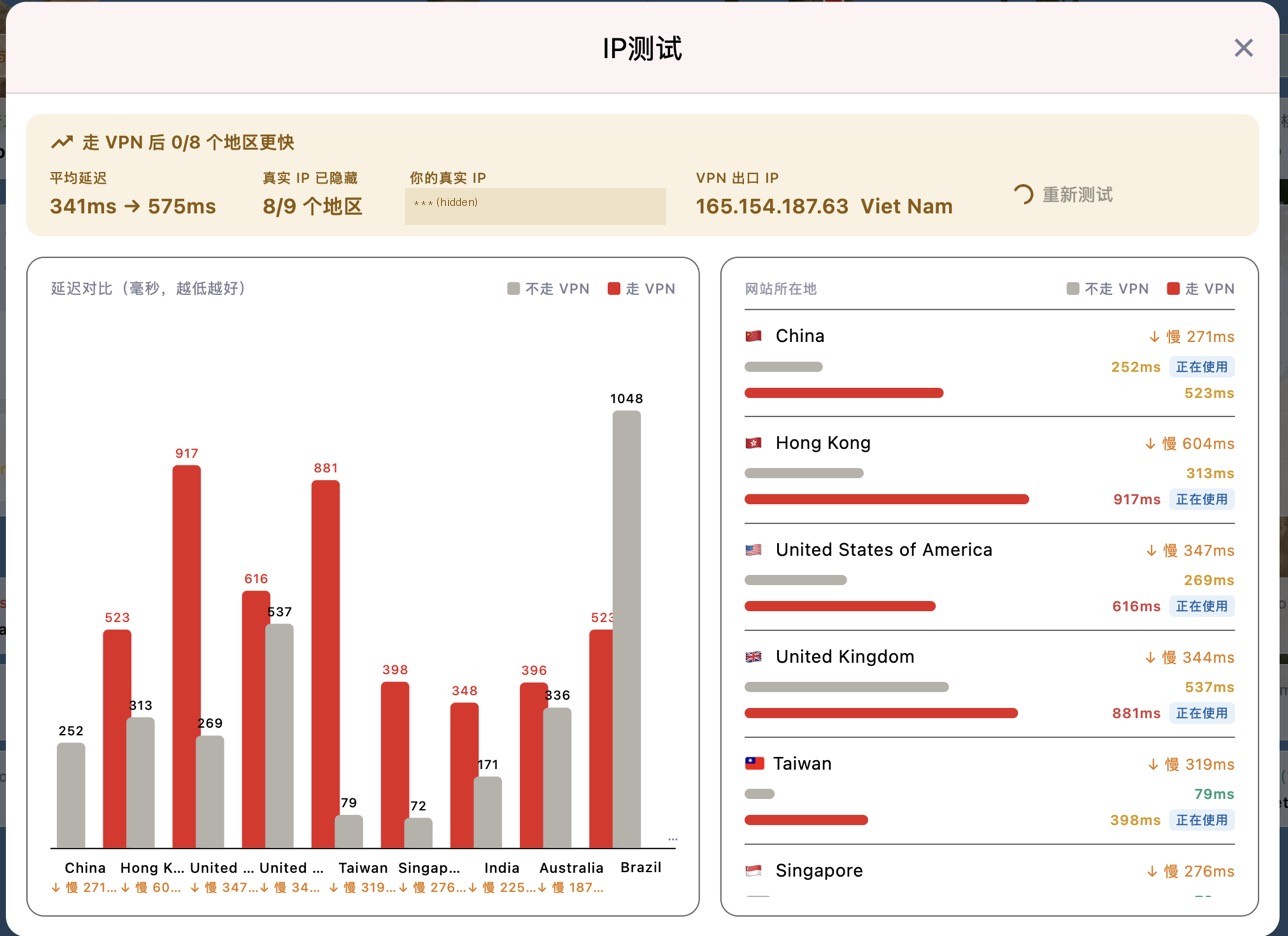
Summary at the top:
• Regions faster with VPN: how many regions have lower latency through the VPN than direct.
• Average latency: direct → VPN.
• Real IP hidden: in how many regions websites see the VPN IP instead of your real IP.
• Your real IP and VPN exit IP: these should be different.
Chart on the left, details on the right: grey is direct, red is VPN; lower is better. Each region is marked "In use" on the path your traffic actually takes under your current rules. For example, if mainland China sites go direct under your rules, the direct row is marked.
How to judge it: the VPN being somewhat slower than direct is normal, because traffic takes a longer route. What matters is that the regions you need are reachable with acceptable latency. If a region is very slow or fails through the VPN, try a closer server and test again.


