


Yes. App rules in the Windows and macOS apps can lock an app to a single VPN exit: whatever server you choose on the home screen, that app always exits through the server you picked, so websites always see the same country and the same server IP.
Useful for: trading apps, ad dashboards, cross-border e-commerce and social accounts that are sensitive to the login IP. Frequent IP changes can trigger risk checks, verification or account bans; a fixed exit avoids that.
How to set it up:
1. Open Apps (Ctrl+3, or ⌘3 on macOS), click Add app and choose the app.
2. Click its Route ("Follow current server" by default) and choose the server to pin.
3. When the route shows "Exit xxx", you're done.
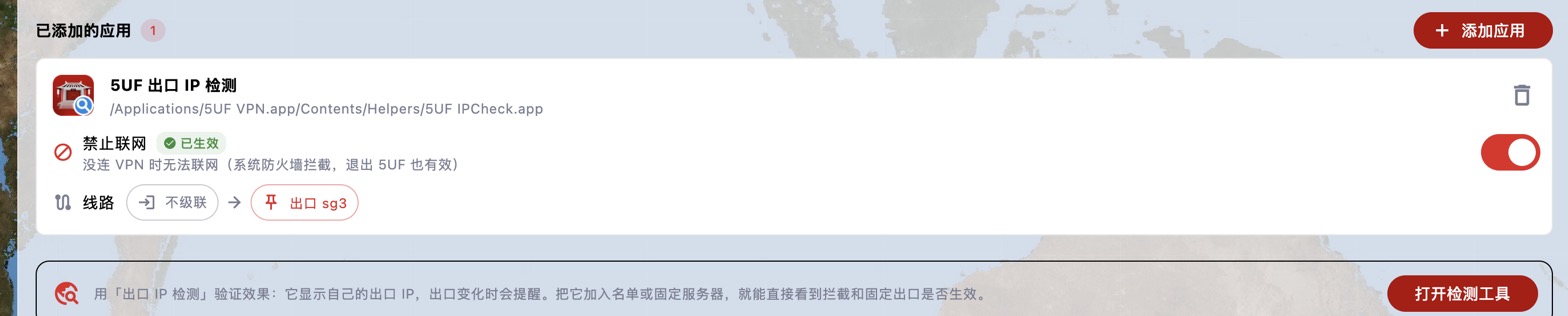
For extra safety, also turn on Block network for the app. It can then only go out through the chosen server:
• VPN connected: only through the pinned exit, even if you change servers on the home screen.
• VPN off or 5UF closed: no network access at all, so it never signs in with your real IP.
• Pinned server unreachable: the app can't connect, instead of silently switching to another server or going direct.
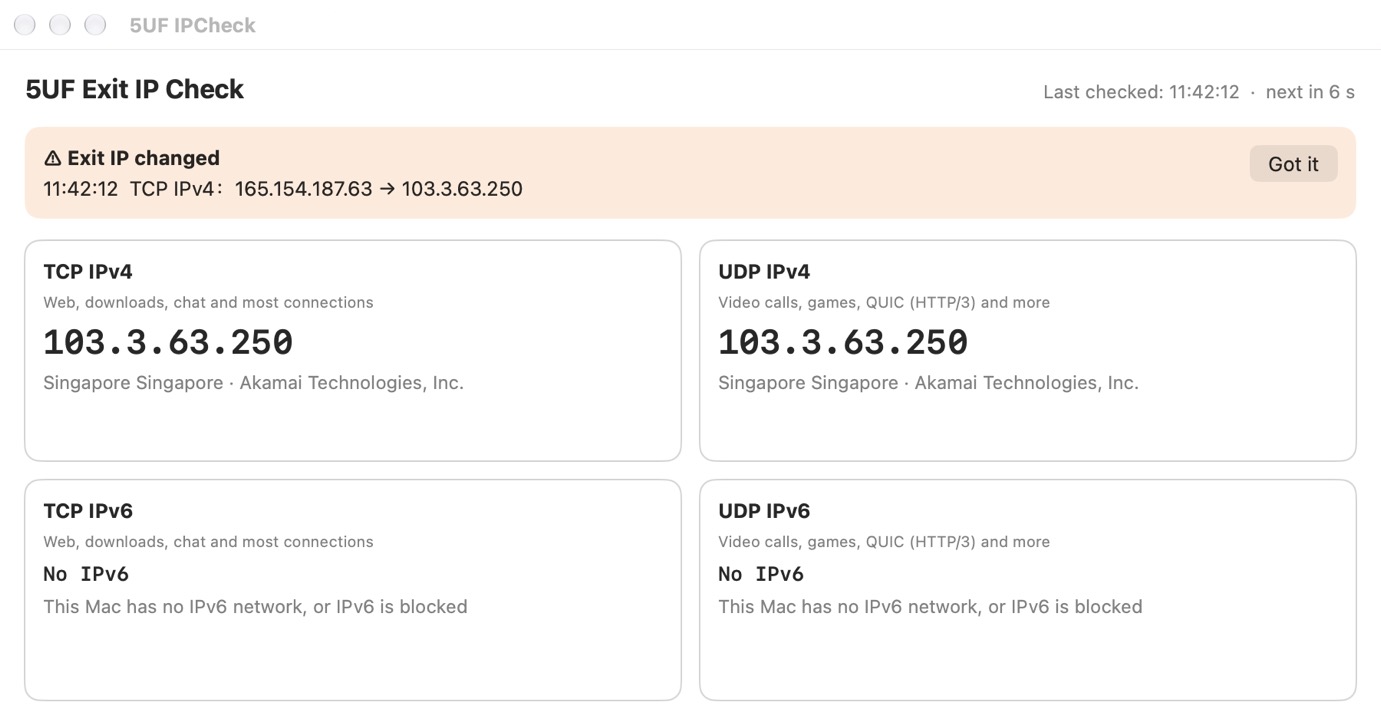
To verify: add the Exit IP Check tool to the list and pin it to the same server; the IP it shows should be that server's IP. The screenshot below shows the tool after it was moved from a Vietnam server to Singapore sg3: it reports that the exit IP changed.
If the pinned server is later removed from the server list, the Apps page tells you so; choose another server. To chain two servers, see "What is a two-hop proxy (chaining)? How do I use it on desktop?".


