FAQ
How can I change DNS to reduce DNS pollution issues? 
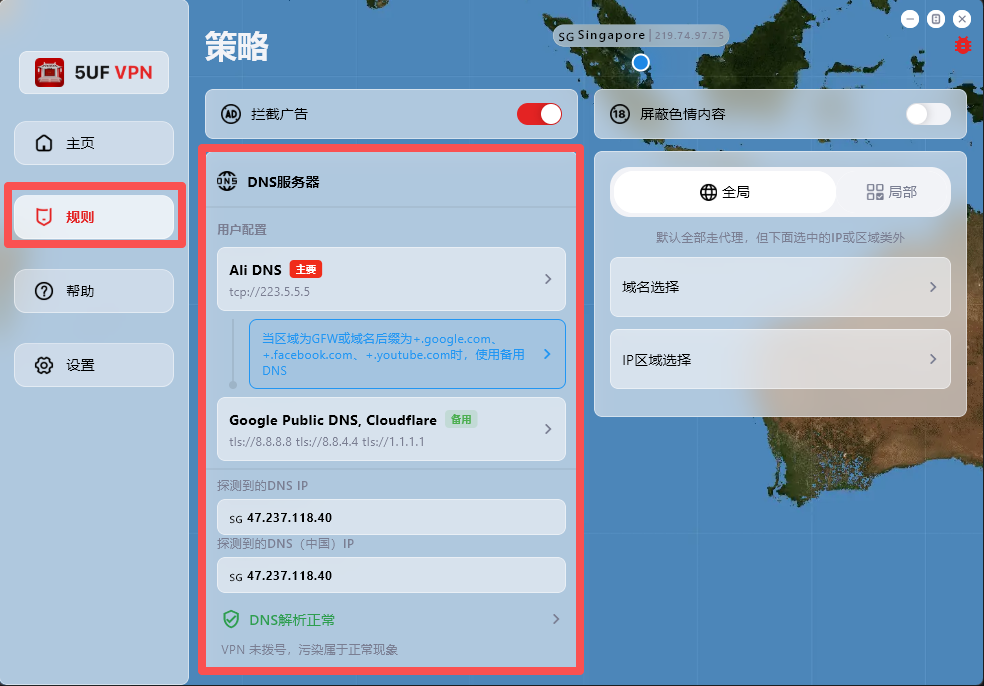
If your network access behaves abnormally, first check and adjust DNS settings in the Rules page.
The app has built-in support for:
1. Changing DNS settings after dial-up/connection.
2. DNS connectivity checks.
3. DNS pollution detection.
Where to configure: open the app main screen, go to Rules, then modify the default DNS request settings.
One-tap preset recovery: at the bottom of the Rules page, we provide built-in presets for common regions, including Mainland China, Hong Kong/Macau, and default profiles for countries/regions such as Iran and Russia.
Dynamic IP database update: the Rules page also includes dynamic IP database update, which you can run when needed.
Why detected DNS may differ from configured DNS:
DNS probing uses temporary domain resolution to identify the actual egress resolver IP within a DNS cluster, so the detected result may not be exactly the DNS address you entered.
For example, even if you configure Google Public DNS (8.8.8.8), the detected resolver may be another cluster node responding to your request.
How do I delete my account?
To delete your account:
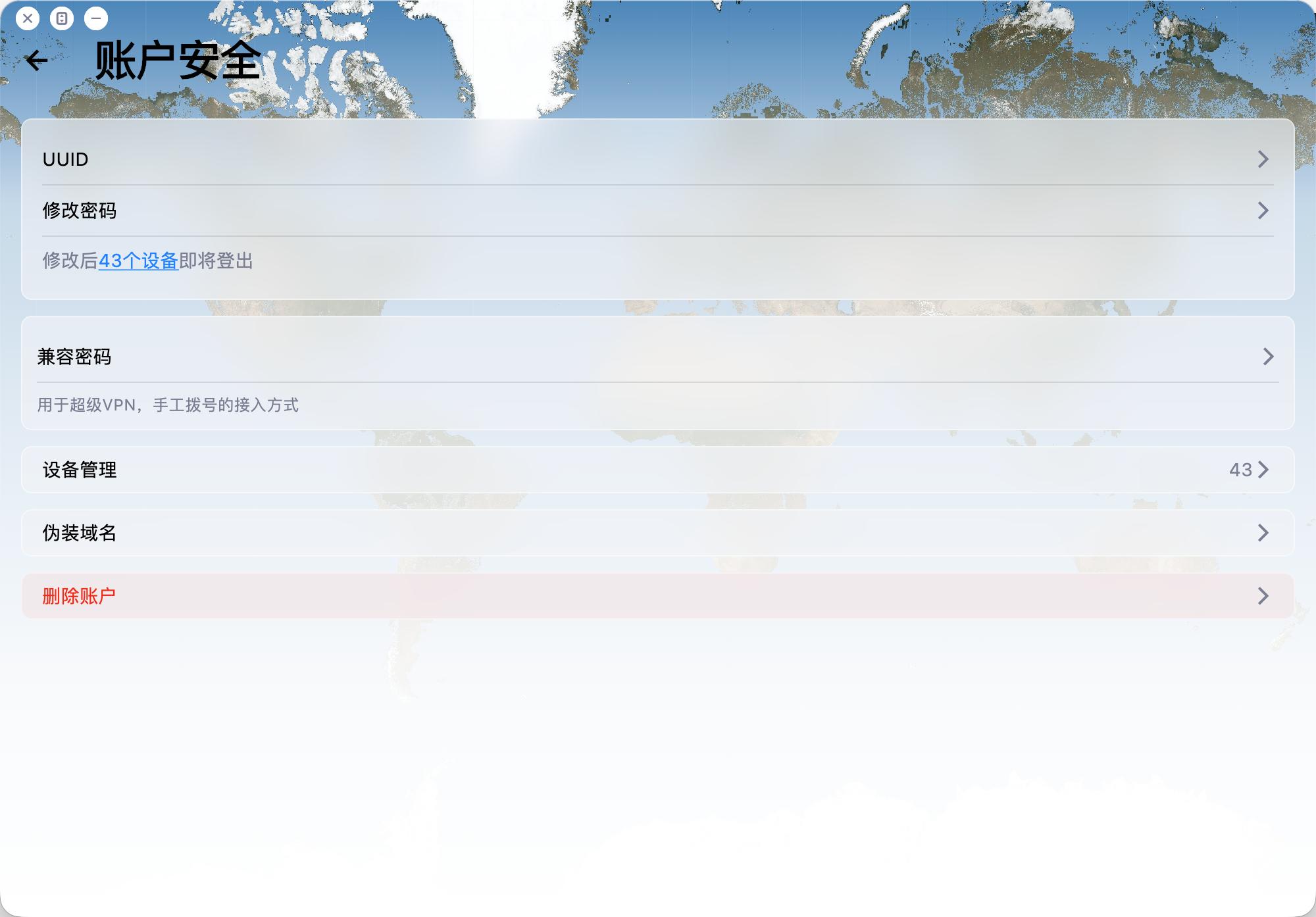
Open the app and go to Account -> Security -> Delete Account.
Please note:
1. Account deletion is permanent and cannot be undone.
2. Email verification is required before deletion.
3. After deletion, related payment records, usage records, and other associated data will be removed.
4. The account will be deleted regardless of whether you are a VIP member.
How do I collect logs and report issues to you quickly?
When you hit connection issues, unstable speed, or anything hard to reproduce, rich diagnostics help us troubleshoot much faster.
Recommended (best): use the in-app ticket / feedback flow. In recent builds you can attach profiles, network diagnostics, speed-test results, and detailed logs right inside the ticket so support can triage quickly.
Can't find the ticket entry? Open Help → About (or the equivalent section in your client) — you'll usually find shortcuts to logs and network diagnostics there; export or capture what you can, then reach out through whichever channel you prefer.
Tips: try to reproduce once before sending, note time, network type (cellular vs Wi‑Fi, rough region), and your app version; it speeds things up.
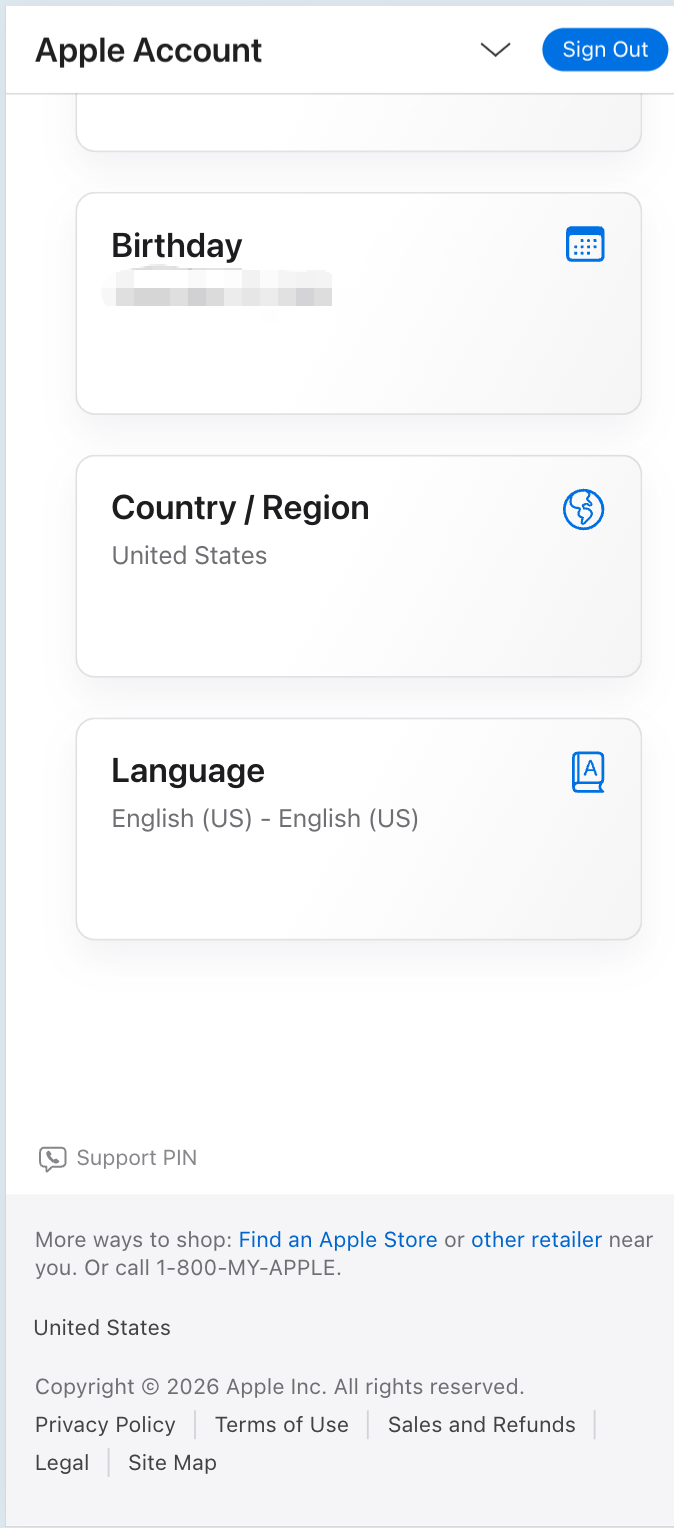
How do I check which country or region my Apple ID is set to?
To see which country or region your Apple ID is registered in (for example US, Hong Kong, etc.), use Apple’s official account site.
Recommended: sign in with your browser and open the account information section—look for Country or Region.
Direct link (sign in required): Apple ID — Account information
Note: menus may vary slightly by language or iOS version. On iPhone you can also check under Settings → Apple ID → Media & Purchases / Payment & Shipping, or the region shown for the App Store account.
Your region affects which apps appear in the App Store and which payment methods are available. Use an Apple ID that matches the storefront you need, and follow Apple’s terms.
How does the referral program and commission work?
Invite friends to 5UF VPN with your referral link or referral code. When they complete eligible purchases, you earn referral balance (commission). This FAQ summarizes the rules; exact percentages, exceptions, and system decisions follow in-site rules, announcements, and backend records.
1. Dedicated domains for high-volume referrers
If you have large referral volume or long-term promotion needs, you may ask human support for a dedicated referral domain (subject to review and technical setup).
2. Commission rate and crediting
For each successful paid order from a user you directly invited, the system credits roughly 10% of the order amount to your referral balance. Actual rate, taxes, currency handling, and whether refunded or disputed orders count are defined in site rules or announcements.
3. Long-term while the L1 relationship applies
As long as the user remains your level-1 invite in our system, their later eligible payments can continue to generate commission (per system records) until the relationship or policy changes.
4. Level 1 only
Only spending from users who registered through your link or code counts toward your commission.
Spending from sub-referrals (level 2 and below) does not count toward your balance, to avoid multi-level payout structures.
5. Attribution window (~7 days)
After someone clicks your referral link, we store attribution for about 7 days (e.g. via cookies). Purchases on the same site domain within that period are matched when possible. If cookies are cleared, or cross-domain/cross-device issues occur, attribution follows actual system logs.
6. Using balance and withdrawals
- Referral balance can be used to buy services on our site (see checkout for scope).
- When withdrawable amount reaches CNY 1,000 or more, you may request a payout via options such as crypto or bank transfer.
- Fees, KYC, and processing details are shown on the application page and support instructions.
For questions about referral linkage, balance, or payouts, open a ticket with your account and order references.
Free tier, daily traffic allowance, and how to keep it active
This FAQ summarizes our public announcement. For the full legal and operational wording, see:
5UF VPN – 15th Anniversary Special Announcement
1. Who may receive the daily free traffic benefit?
Eligible long-time accounts described in that post (for example users registered before the cut-off date stated there, such as 11 Dec 2025—confirm in the article and in your account) can receive a permanent daily free traffic allowance (stated as 128 MB per day in the announcement, subject to system display).
Paid users follow their plan while active; after expiry, if you fall under the free-tier rules in the announcement, you may receive the same daily allowance (verify in the panel).
New sign-ups outside the promotion scope keep the standard free/trial policy then in effect, to protect overall capacity.
2. How to activate or renew it?
- Log in on the official website or the latest official app; eligibility is applied automatically after a short delay—no form is usually required.
- To keep the benefit active, log in on the web or open the app at least once per week, as described in the announcement.
3. Why isn’t the same promotion open to every new user?
The announcement explains that unlimited free access can increase blocking and congestion; the benefit targets loyal users while balancing free and paid capacity.
4. Other notes
- Reset passwords via your registered email.
- Metering, reset times, and account type are shown in the control panel / app and in current announcements.
- Contact support through official tickets if anything looks wrong.
How can I verify that using 5UF VPN is safe?
A VPN adds an encrypted tunnel between you and the internet, which lowers the chance of casual eavesdropping on plain HTTP in untrusted networks. Below is a practical checklist plus notes on privacy, technology, and how we operate.
1. Install only from official sources
- Use official app stores on mobile and the official 5UF website (or links we publish) on desktop; verify the domain before installing.
- Avoid “cracked” builds and random APK shares. Many free or unknown VPNs have a poor track record for ads, data resale, or malware.
2. Account work only on real HTTPS sites
For login, billing, or subscription pages, confirm a trusted domain and HTTPS in the address bar.
3. After connecting, test your IP and DNS (recommended)
With the VPN on and other proxies off, open BrowserLeaks — My IP Address to see the exit IP and rough region. The same site offers DNS leak and WebRTC tests. Results depend on split tunneling, extensions, and dual-stack networks—use them as signals, not a single proof.
4. Can ISPs or police “know I use a VPN”?
Technically, providers often see that your device talks to a remote endpoint with encrypted traffic, volume, and timing. They generally cannot read your HTTPS page contents the way they could with old plain HTTP. Sites and modern apps add another layer of end-to-end TLS that the VPN operator normally cannot decrypt either. What authorities may obtain still depends on law and due process—a VPN is not invisibility.
5. Xray-based stack
Our service commonly builds on open projects such as Xray (for example XTLS/Xray-core) with transports like Trojan wrapped in TLS. Open source enables community review; it is not the same as a formal proof against every adversary, but it is far more inspectable than a closed black box. Keep clients updated and download only from trusted sources.
6. What can the operator see?
In typical HTTPS browsing, we cannot decrypt the payload between you and the website. Exact data categories are spelled out in our privacy policy.
7. Singapore company and compliance
We are incorporated in Singapore and operate under its legal framework. The privacy policy explains retention, security practices, and how we may respond to lawful requests. We do not treat selling user privacy as a business model. Read the policy on our site; open a ticket for questions.
8. Bottom line
No VPN replaces good hygiene—official clients first, skepticism toward “free” unknown VPNs, and regular updates. Report suspicious clones through official channels.
What are human customer support working hours?
Human agents handle tickets, emails, and similar channels during standard Singapore business hours.
- Hours: 9:00 AM – 6:00 PM daily
- Time zone: UTC+8 (same as Singapore, Beijing, Hong Kong, and other GMT+8 regions)
Requests sent outside these hours are handled on the next business day. For urgent connectivity checks, see our FAQ or in-app help first. Thank you for your patience.
What is the difference between relay nodes and direct nodes?

Relay (transit) nodes send traffic to a relay inside mainland China first, then forward it toward overseas destinations over dedicated or optimized backhaul. That path is often more predictable than raw public-internet crossings, which can mean better stability and higher peak performance for cross-border use. Building and operating relays costs more, so relay plans may differ from plain direct routes in pricing or lineup.
Direct nodes rely more on the public internet, connecting straight to overseas servers. Cross-border public paths may see packet loss, throttling, or intermittent blocking in some regions or hours. Even when a route works, speeds can plunge at busy times. If you are in mainland China and need reliability, relay lines are usually the safer choice.
5UF is among the few providers that can offer lawful mainland relay capacity alongside standard options. We also tune routing for selected sites and services. Example: some Hong Kong nodes may not work well with OpenAI ChatGPT over a plain path, but with relay and routing optimization, Hong Kong and similar regions can reach those AI services more reliably. If a specific AI site or service fails for you, contact support so we can prioritize routing fixes.
Available nodes depend on the app and the list on our site; plans differ in node types and counts. See your subscription details for what applies to you.
How to quickly select a server and run speed tests in the 5UF VPN app
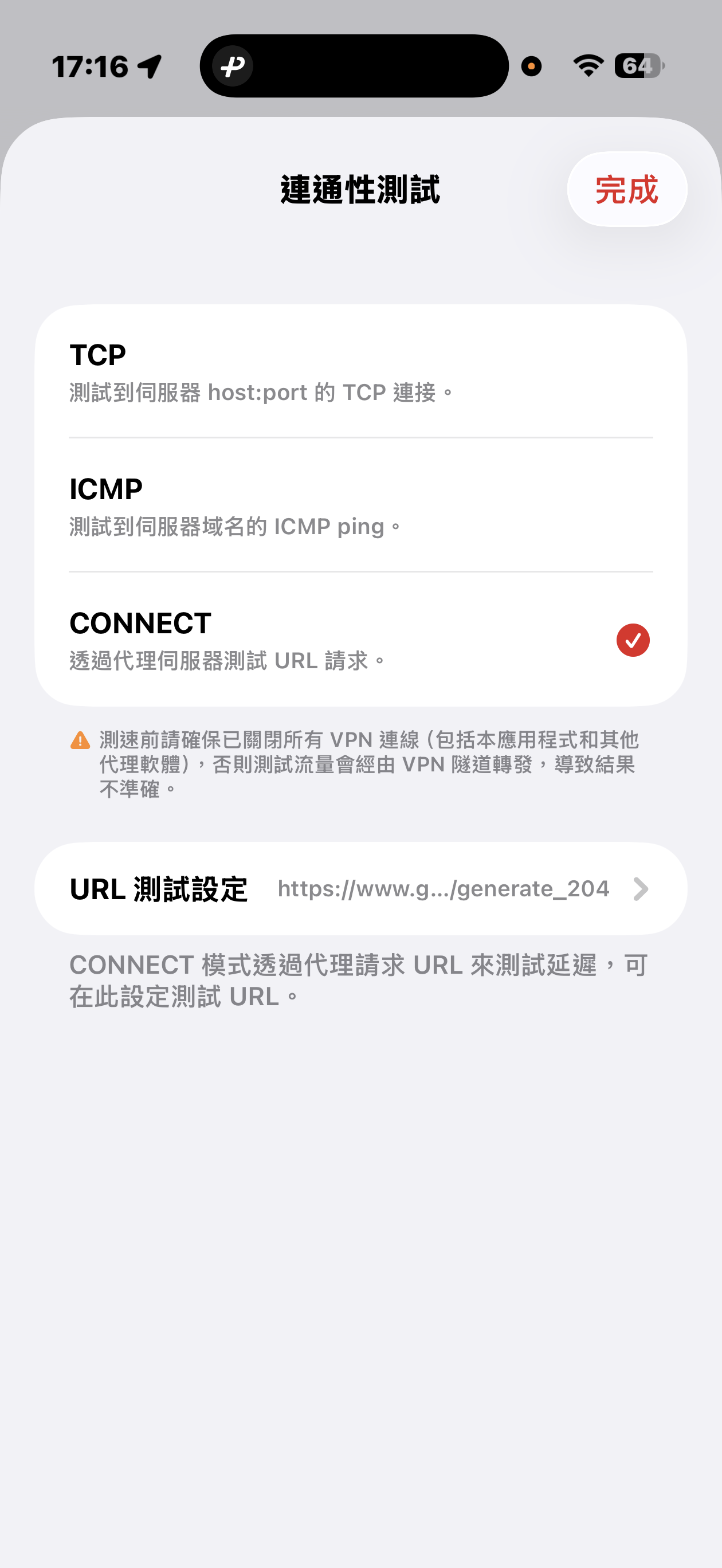
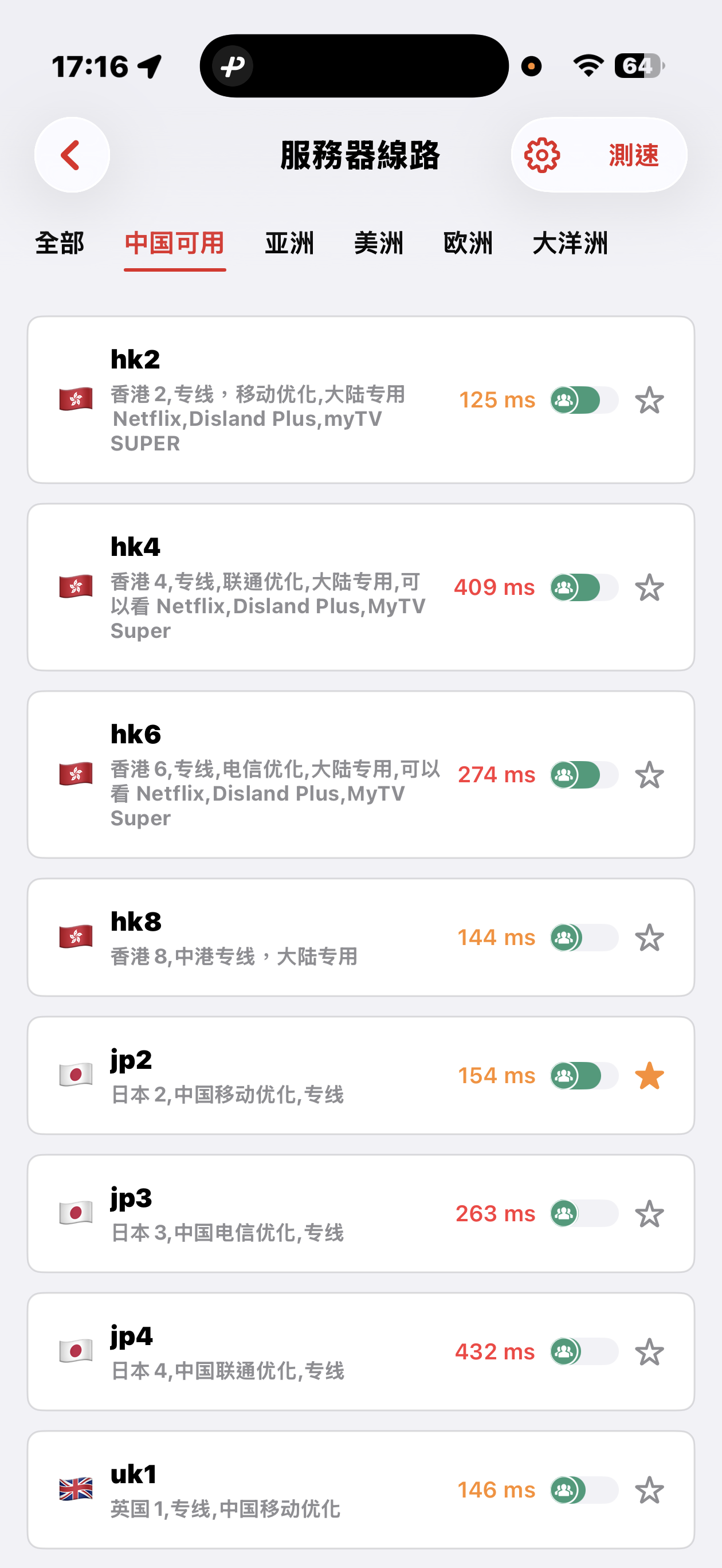
The 5UF VPN app offers quick connectivity tests from the server list screen: tap Speed test at the top right (sometimes next to a settings icon), open Connectivity test, then pick a method.
Three test modes
- TCP: Measures how long it takes to complete a TCP handshake to each server host and port. The app runs multiple probes and shows an average so you can compare routes quickly.
- ICMP: Sends ICMP echo (ping) to the server hostname, similar to the ping tools built into desktop and mobile systems, to see round-trip latency.
- CONNECT: Issues an HTTP(S) request to a test URL through the proxy path, which best mimics real VPN usage. It is usually the slowest mode, but in heavily restricted networks it helps find nodes that still work. You can change the test URL under URL test settings.
Before testing, disconnect all VPN and proxy software, including this app. Otherwise traffic may still go through a tunnel and the numbers will not reflect your raw local path.
Mainland China: Strict blocking may make some overseas nodes unreachable; that can be normal. Use the Available in China category for optimized dedicated lines that aim to stay usable under heavy filtering, with carrier hints for China Mobile, China Unicom, and China Telecom. Pick a line that matches your ISP or SIM.
Choosing a server: Auto-select uses TCP results, then picks one server at random from among the fastest, balancing speed and load. You can also browse by geography (for example Asia, Americas, Europe) and choose manually.
Where can I read release notes after an app or website update?
Major releases and infrastructure changes are announced under News. The app may also show its own upgrade prompts—follow in-app release notes when you update.
Can I get an invoice after subscribing or paying?
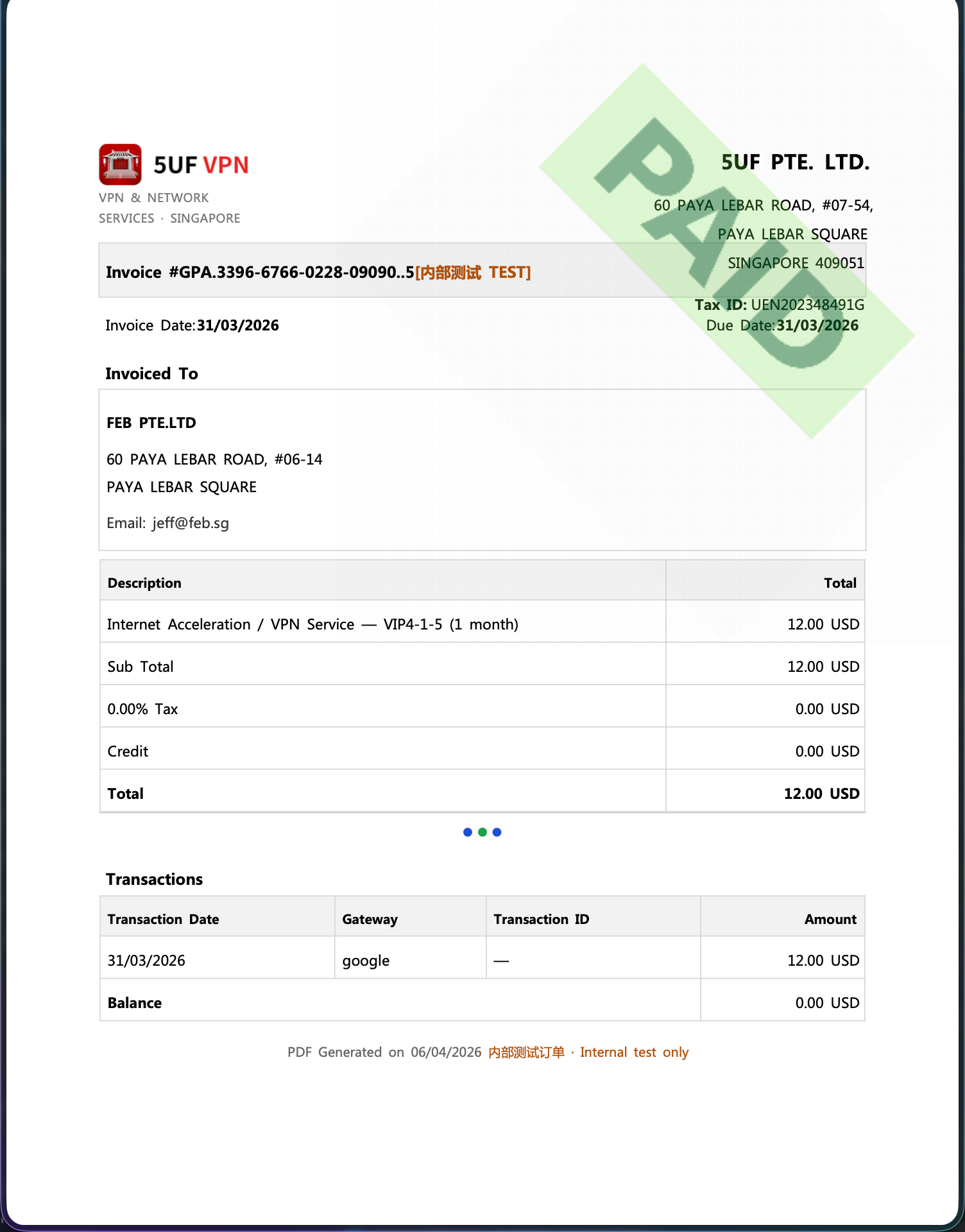
Yes. We provide a formal invoice for every successful payment, suitable for reimbursement and accounting records.
Our company is registered in Singapore and meets its tax obligations there. The invoices we issue follow formats recognised in Singapore (IRAS) for compliant tax documentation.
If you need a Mainland China VAT fapiao or other PRC tax invoice, we cannot provide that at this time.
How to download: sign in and open My Orders, then download the invoice for each payment from its order row.
Invoice fields: On the invoice download page you can enter or edit the bill-to name, company name, address, email, and other fields shown on the PDF. These are separate from your profile fields on the website—you can fill them in any way your accounting requires, update them, and re-download anytime.
Issue date: Each time you generate or download with the current values, the invoice/issue timestamp on the PDF will refresh for that action—refer to the file you just downloaded.
Clearing saved data: If you do not want to keep the entered billing details on the page, use the clear/reset option where available (see the order/invoice download page). Clearing does not change the payment record itself; it only affects whether those details are prefilled next time.
Using Sing-box VT on Mac with 5UF VPN
To use a third-party client on macOS, install Sing-box VT from the Mac App Store (third-party software, not published by 5UF). 5UF serves a Trojan (Xray) compatible profile as a sing-box subscription that includes server lists and routing rules.
1. Install the app
You need a non-Mainland-China Apple ID. Install from the App Store: Sing-box VT
2. Copy your sing-box URL
Sign in to the 5UF user panel in a browser and open the Xray (Trojan) configuration page (typically /xray_config). Copy the full sing-box configuration subscription URL with the one-click copy button.
That URL embeds your private UUID—do not share it. If it may have leaked, use Change UUID on the same page so the old URLs stop working immediately, then copy the new sing-box link and import again.
3. Import into Sing-box VT
In the app, add or update a profile by importing from URL / subscription (wording depends on the app version), paste the copied link, save, and let the app refresh nodes and rule sets.
4. Connect and test
Enable the profile and visit any site that shows your public IP to confirm traffic exits through the VPN. If import or connection fails, check that the URL was copied completely, your account is active, and the network is not blocking the endpoints; generating a new UUID and re-importing often resolves stale links.
Screenshots (UI may change between releases):
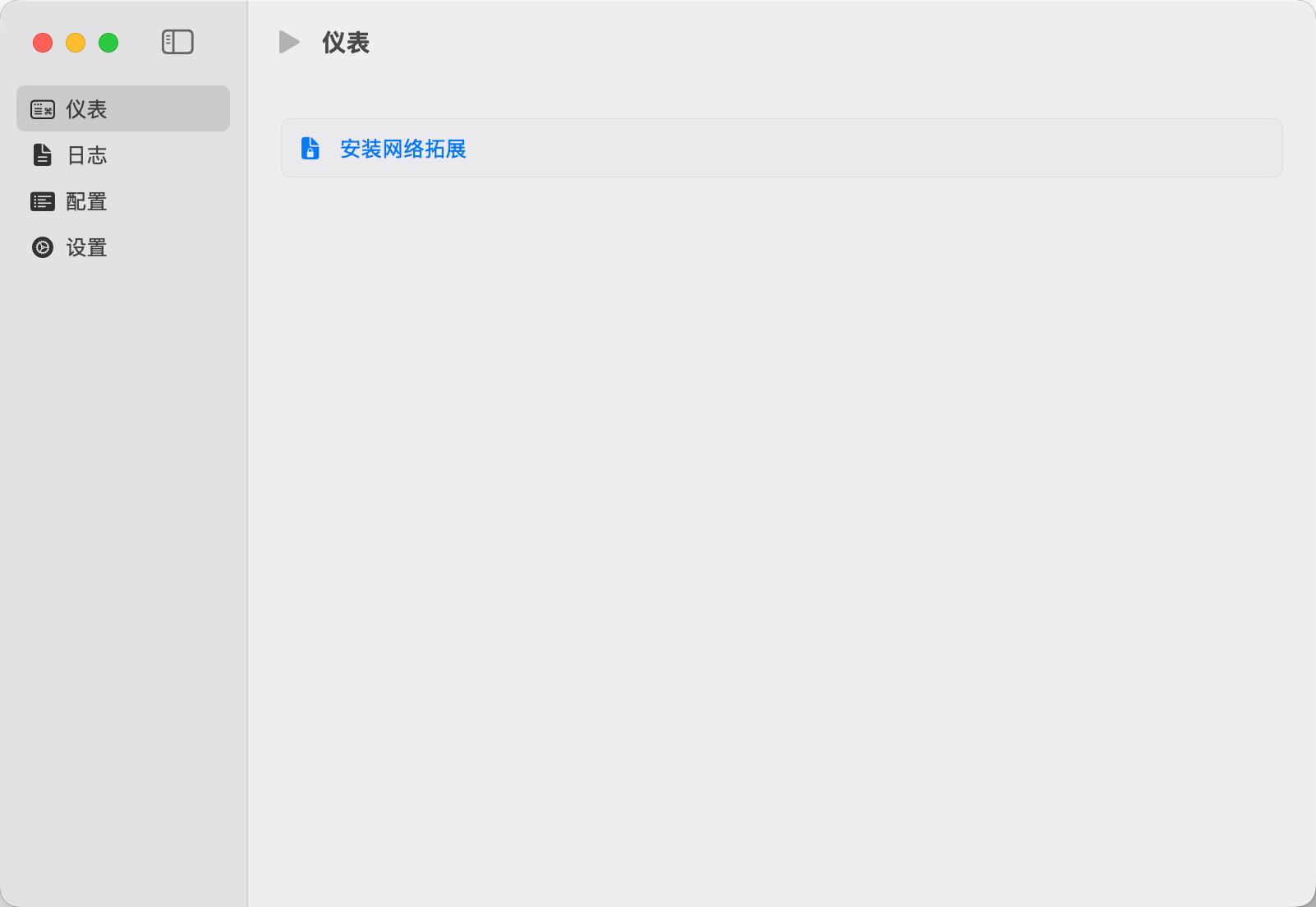
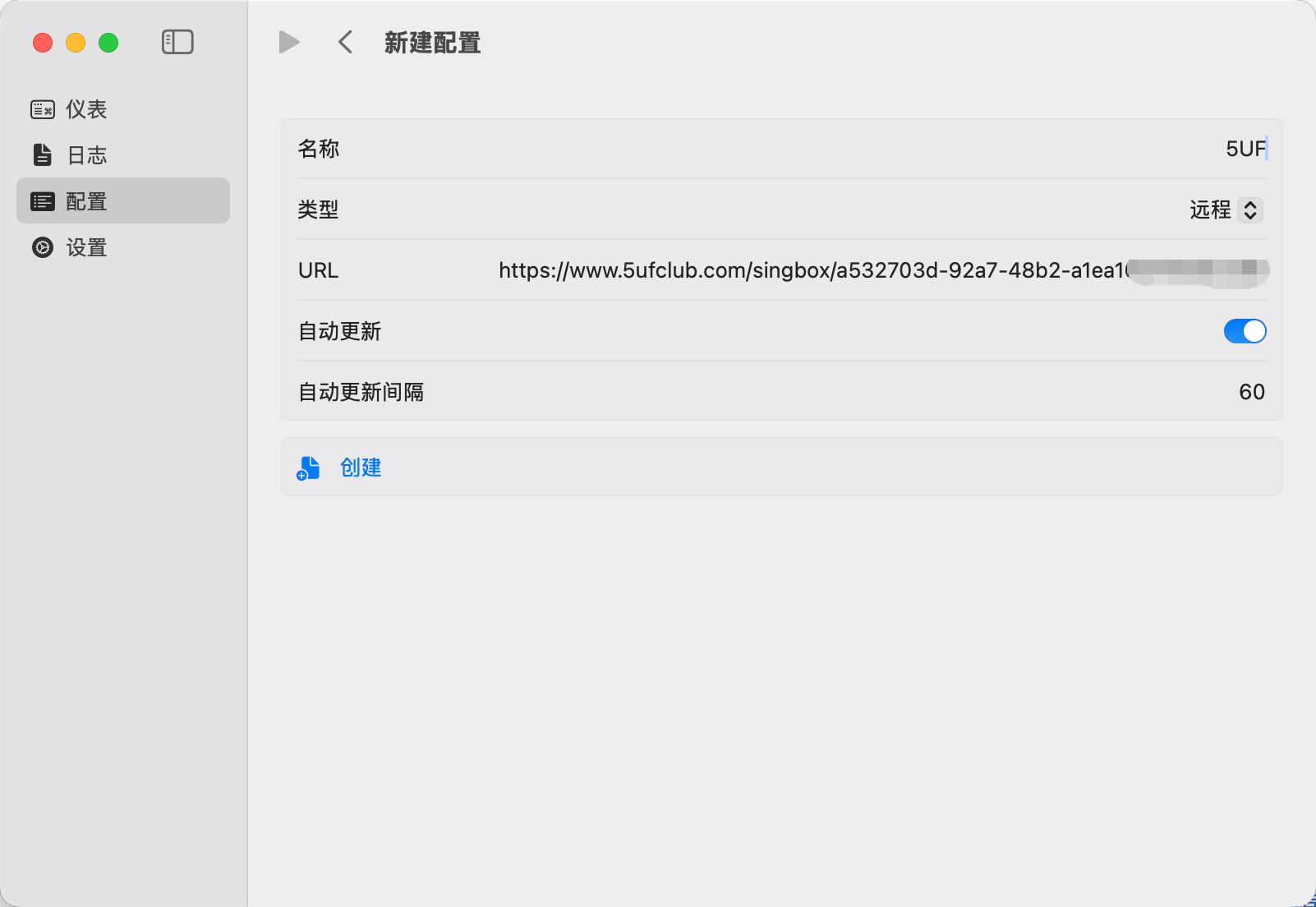
For the official all-in-one experience, use the 5UF VPN Mac app from our site. This article targets users who prefer the sing-box ecosystem.
What if the new app does not run on Windows 7 or Windows 8?
The latest official 5UF VPN app for Windows is built and tested for newer Windows releases. On Windows 7 and Windows 8, which are largely out of mainstream support, you may see install failures, startup issues, or connection problems. We cannot guarantee the same experience as the new app on those systems in the near term.
If you must stay on an old Windows version, consider one of the following:
- Upgrade Windows to a supported release your hardware can run (for example Windows 10 or 11), then install the latest official app; or
- Use a legacy Windows build of our client where still supported (feature and security updates may lag; follow site or support guidance); or
- Use Super VPN (browser extension) for browser-based access; or
- Use a third-party VPN client with manual setup: How to use a third-party app with 5UF VPN on Windows (tutorial).
Whenever possible, we still recommend a supported OS + latest official app for the best stability and security.
What if the official app has compatibility or connection issues on iOS?
Make sure 5UF VPN is the latest version from the App Store. Builds 5.3 and newer officially support iOS 16 and later, fixing most cases where the app could not run on iOS 16. If your iPhone or iPad runs iOS 16+, update the app to 5.3 or higher (use the version number shown in the App Store).
More details: iOS client update announcement.
On iOS 15 or earlier, or if the hardware cannot upgrade to iOS 16+, the official app may still be limited. You can:
- Upgrade iOS as far as your device allows, then install or update the official app; or
- Use a third-party VPN client with 5UF where appropriate.
Tutorial: How to use a third-party app with 5UF VPN
If issues remain on 5.3+, contact support with your iOS and app version.
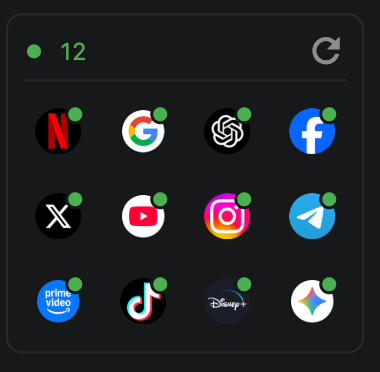
What is the app “availability test” on the home screen, and how does it work?
The availability test simulates requests to dedicated check URLs for selected apps. Based on what comes back, it can help you gauge whether your current network can reach those apps and whether you appear to fall into a given country or region’s service area.
Please note: results are not guaranteed to be accurate, and not every service can clearly report a country or region. The feature is meant for a quick, practical snapshot of app reachability in your current environment—not a definitive geo or compliance check.
Many availability checks are built in. You can add or remove the apps you care about in Settings.
Each run is very fast, uses very little data, and has a minimal resource footprint on your device.
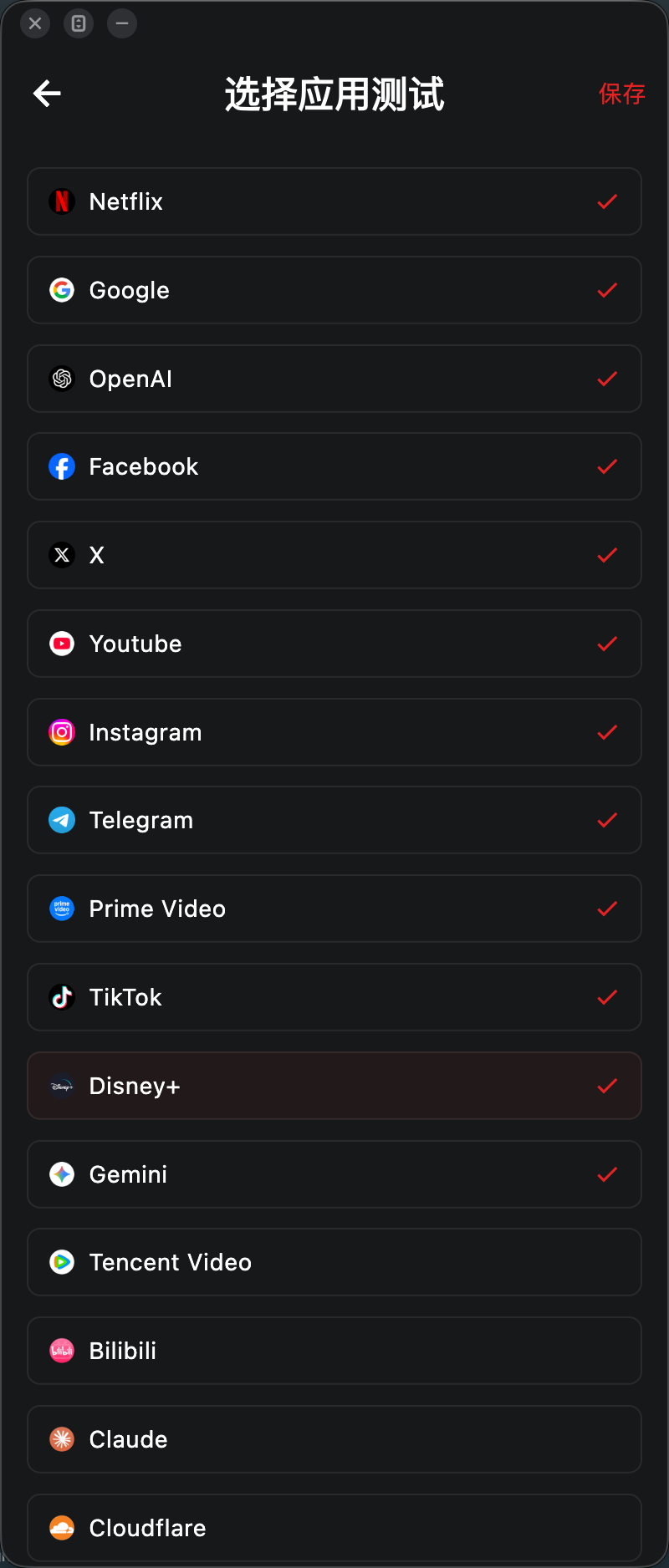
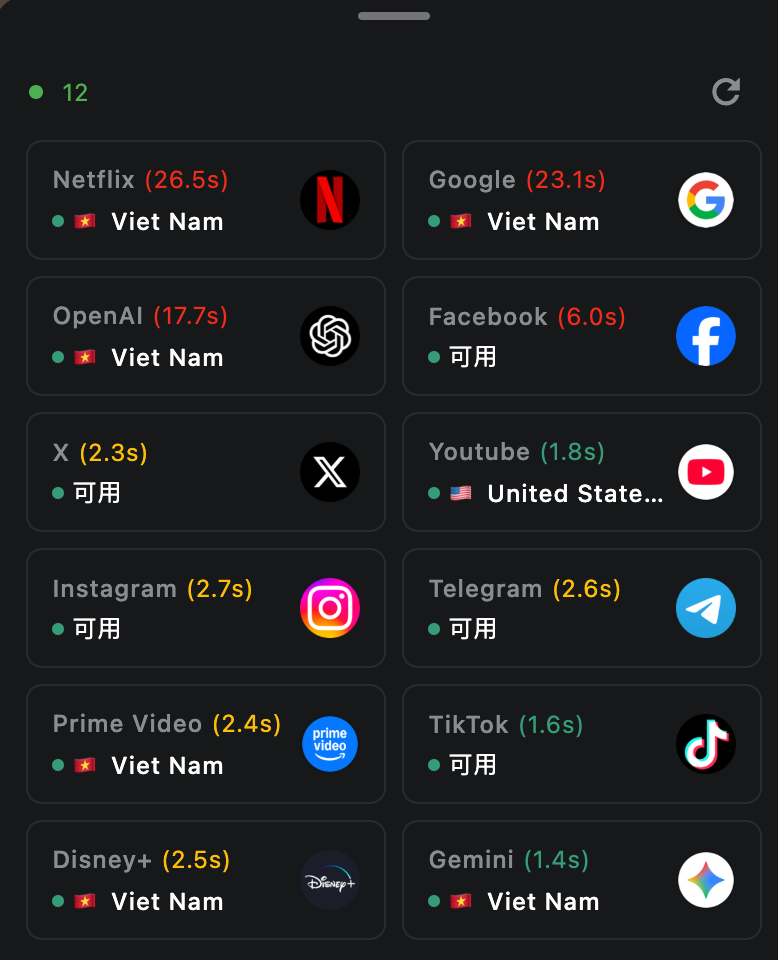
What if Super VPN is unstable?
Try changing network or switching to another server. If you need a more stable long-term setup, use the latest 5UF VPN app instead of relying on the old browser-based solution.
What is the difference between Super VPN and the latest app?
- The latest 5UF VPN app is better for regular use, with better stability and compatibility.
- Super VPN is more suitable for browser-based access and quick switching. It is not a full-system VPN.
Should I use Super VPN or the latest 5UF VPN app?
Super VPN is suitable for temporary browser access. For daily use, we still recommend the latest 5UF VPN app.
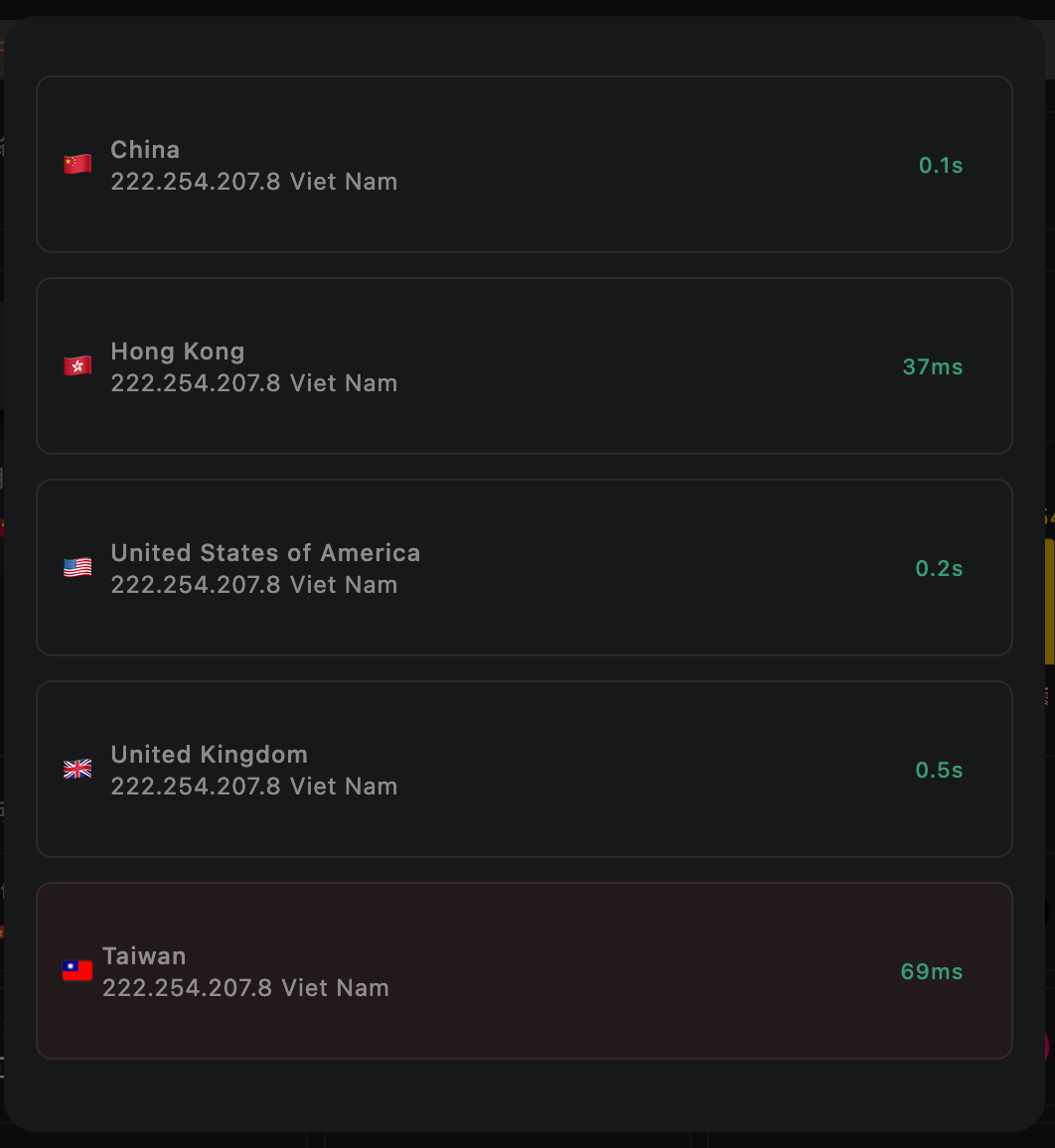
How does the 5UF VPN app home screen speed test work, and will it use much data?
On the 5UF VPN (V5) home screen, the speed test sends a very small HTTP request to our dedicated test page. The page only shows your egress IP, so data usage is minimal and it should not meaningfully affect your allowance or billing.
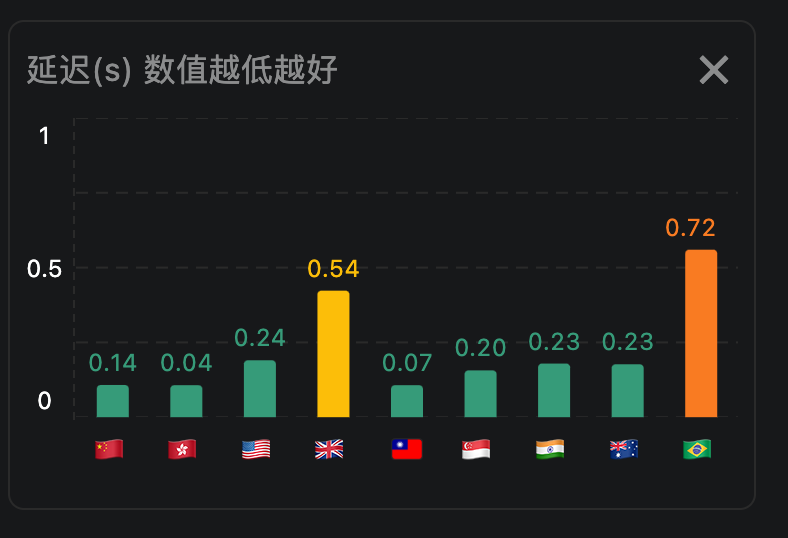
The test measures network latency (how quickly you can reach a given node), not your maximum download speed. Unlike many tools that download large files to estimate peak bandwidth, we focus on round-trip delay to that node only.
We take multiple samples and show an average. Lower numbers mean faster response (lower latency) to that node.